Quick answer: Snapchatplanetsorders.com is a third-party informational website that explains Snapchat Planets and the Friend Solar System feature. It is not an official Snapchat service and states it has no official ties with Snap Inc. The planet order is Mercury, Venus, Earth, Mars, Jupiter, Saturn, Uranus, Neptune, with Mercury as your number one Best Friend and Neptune as number eight.
Seen a planet next to a friend’s name on Snapchat and wondered what it means? This guide covers the full planet order, how to check your planet, how to turn the feature on, what Snapchat+ costs, and the mistakes that cause most of the confusion.

What Is Snapchatplanetsorders.com?
Snapchatplanetsorders.com is an informational website that explains Snapchat Planets, also known as the Friend Solar System. It describes the order of the planets, what each planet represents, and how the ranking system works inside Snapchat.
The key fact is that the site is independent. It is a third-party website with no official ties to Snap Inc., the company behind Snapchat. It is not an official Snapchat service and cannot change anything in your account. It does not show your personal planet, connect to your Snapchat login, or display your friends list. Its job is to explain the feature, not to run it.
Use it as a reference: read the planet order here, then check your real ranking inside Snapchat. If any website asks for your Snapchat username and password to reveal your planet, do not enter them. The real feature only works inside Snapchat, for eligible Snapchat+ subscribers.
What Are Snapchat Planets?
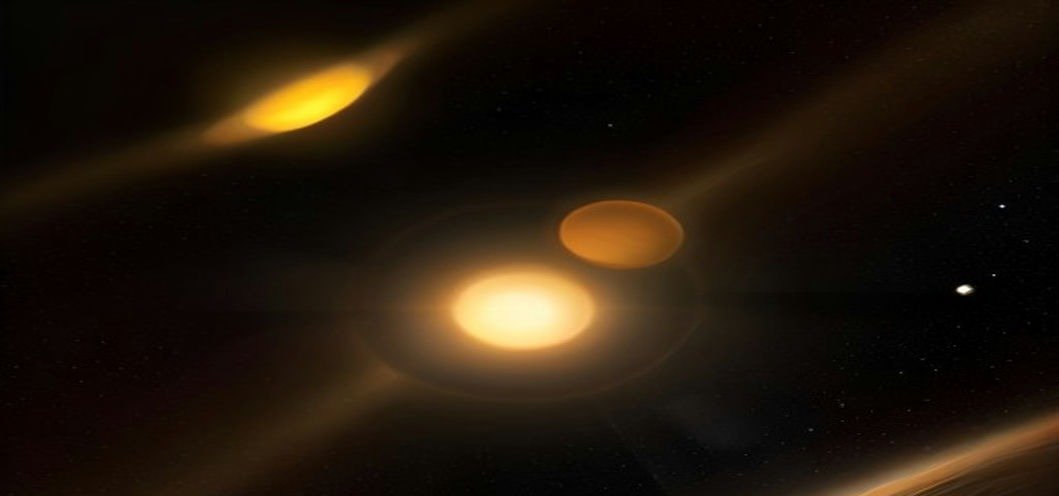
Snapchat Planets, or the Friend Solar System, is a Snapchat+ feature that turns your closest friendships into a small solar system. You are the Sun, and your top eight Best Friends orbit you as planets. The closer a planet is to the Sun, the higher that friend ranks. The friend you interact with most is Mercury, closest to you. The friend in eighth place is Neptune, farthest away.
Snapchat already keeps a private Best Friends list based on your interactions. The Friend Solar System gives that list a visual form: planets instead of a numbered list. Tapping a friend’s profile shows which planet you are for them.
A planet reflects recent Snapchat activity — chats, snaps, story replies, and streaks — not real-life closeness. Two close friends can sit far apart if they rarely talk on Snapchat. There is no public leaderboard: you see your own system and your position in a friend’s, but nobody else sees the full ranking.
Snapchat Planets Order: Full Table
The order follows the real solar system exactly. There are eight positions, one for each of your top eight Best Friends. There is no Pluto, because Pluto is a dwarf planet and is not part of the eight-planet sequence.
| Rank | Planet | Meaning |
|---|---|---|
| 1 | Mercury | Your number one Best Friend |
| 2 | Venus | Your number two Best Friend |
| 3 | Earth | Your number three Best Friend |
| 4 | Mars | Your number four Best Friend |
| 5 | Jupiter | Your number five Best Friend |
| 6 | Saturn | Your number six Best Friend |
| 7 | Uranus | Your number seven Best Friend |
| 8 | Neptune | Your number eight Best Friend |
Remember one line: the closer the planet is to the Sun, the higher the rank. Mercury is the top spot and Neptune is the last. Nobody outside your top eight gets a planet. The order never changes, but the people on the planets do: a friend can move from Saturn to Venus in weeks if you talk much more, or drift toward Neptune if conversations slow down.
Each Snapchat Planet Explained
1. Mercury — Your Number One Best Friend
Mercury is closest to the Sun and means the number one spot: the person you interact with most on Snapchat, through the most chats and snaps over recent weeks.
2. Venus — Your Number Two Best Friend
Venus is the number two spot. This is someone you talk to very often, almost as much as your Mercury friend, and the two can swap places quickly.
3. Earth — Your Number Three Best Friend
Earth is the number three spot: a regular, frequent contact you message and snap with often, but not quite as much as your top two.
4. Mars — Your Number Four Best Friend
Mars is the number four spot: someone you talk to often, but less intensely than your top three. It still shows a real, ongoing friendship.
5. Jupiter — Your Number Five Best Friend
Jupiter marks the number five spot, the middle of your top eight: a friend in regular contact, though others currently get more of your attention.
6. Saturn — Your Number Six Best Friend
Saturn is the number six spot. This friend is still in your top eight, but contact has dropped compared with your top five.
7. Uranus — Your Number Seven Best Friend
Uranus is the number seven spot, near the edge of your solar system. Another active friend could push this one out of the top eight.
8. Neptune — Your Number Eight Best Friend
Neptune is the farthest planet and the eighth and final spot: still in the top eight, but the least active of the eight right now.
How to Check Your Planet on Snapchat
You do not check your planet on Snapchatplanetsorders.com or any other website. You check it inside the Snapchat app, on a friend’s profile:
- Open Snapchat and make sure you are signed in to the account with Snapchat+.
- Go to your Chat screen and find the friend you want to check.
- Tap the friend’s name or Bitmoji, then tap their profile icon at the top.
- Open the Friendship Profile for that friend.
- Look for the Best Friends badge with a gold ring around it.
- Tap the badge to see which planet you are in that friend’s solar system.
Mercury means you are their number one Best Friend, and Neptune means you are number eight. If you see no badge, the feature may be off, or you may not have Snapchat+. The fix is in the Snapchat settings, not on any outside website.
Note the direction: the planet on a friend’s profile shows your position in their list, not their position in yours.
How to Enable the Friend Solar System
The Friend Solar System is turned off by default for first-time Snapchat+ subscribers. Even after you pay for Snapchat+, you will not see planets until you switch the feature on. Snapchat made this choice deliberately, because friendship rankings can have an emotional impact, and users should opt in.
To enable it, open Snapchat, go to your profile, then open your Snapchat+ settings and turn on the Friend Solar System. Menu labels can change with app updates, but the option lives in the Snapchat+ settings.
You can turn it off again at any time from the same place. That hides your solar system from others but does not delete your Best Friends list. If the feature makes you uncomfortable, turn it off; you can turn it back on later.
If you enabled it and still see nothing, your subscription may be inactive, the app may need an update, or the friend may have the feature turned off.
What Affects Your Ranking?
Your planet is not fixed. It moves up and down based on interaction patterns, and it is dynamic rather than permanent.
- How often you chat: Daily back-and-forth conversations carry the most weight.
- Snaps sent and received: Regular sending and opening of snaps keeps a friendship near the Sun. One-sided snapping counts for less.
- Streaks: Long streaks show consistent daily contact, which supports a high ranking.
- Replies and reactions: Replying to stories and reacting to messages adds up over time.
- Recency: Recent activity matters more than old activity. A friend you talked to constantly last month but rarely this week will drift outward.
- Consistency: Steady contact over weeks matters more than one busy day. A single long chat will not move you from Neptune to Mercury overnight.
Followers and popularity do not matter. The ranking is personal to each pair of users: how much those two people interact with each other. That is why you can be Mercury for one friend and Neptune for another at the same time. Changes are gradual: a planet does not move after one message or one quiet day.
Snapchat+ Pricing
The Friend Solar System is part of Snapchat+, the paid subscription from Snapchat. You cannot get it on a free account.
| Plan | Reported price |
|---|---|
| Snapchat+ monthly | $3.99 per month |
| Snapchat+ yearly | $39.99 per year |
These are the reported prices at the time of writing. Snapchat launched Snapchat+ in 2022, and prices can vary by country and change over time. The yearly plan works out cheaper than paying monthly. Check the current price inside the Snapchat app before you pay, because the app shows the price for your country and currency.
A subscription does not guarantee a particular planet; paying only unlocks the feature. Your planet still depends on your interaction. There is no paid option to buy a higher ranking, and any website offering to raise your planet for a fee is not offering a real Snapchat feature.
Is Snapchatplanetsorders.com Official or Safe?
Snapchatplanetsorders.com is not official: it states it has no official ties with Snap Inc. It is an independent guide, not a Snapchat product. It cannot show your real planet, change your ranking, or access your account. Your true planet only appears inside Snapchat, on a friend’s Friendship Profile, for eligible Snapchat+ subscribers.
To stay safe with any Snapchat Planets guide site:
- Never enter your Snapchat username or password on a third-party site.
- Never pay a third-party site to reveal or change your planet.
- Never download an app or file that promises to unlock the solar system.
- Check prices and settings inside Snapchat, not on a guide site.
- If a site looks official but its address is not snapchat.com, treat it as unofficial.
Snapchat has acknowledged that friendship rankings can have an emotional impact, which is why the feature is optional and off by default. If seeing your planet stresses you, turn it off and focus on the conversations, not the positions.
The same curiosity drives people to look up names they keep seeing online, such as Louis Barker, where readers also want a clear explanation behind a familiar name.
Common Mistakes and Misconceptions
Most confusion about Snapchat Planets comes from a few misunderstandings:
- Mistaking direction: The planet on a friend’s profile shows your rank for them, not their rank for you.
- Reversing Mercury and Neptune: Mercury is number one, closest to the Sun. Neptune is number eight, farthest away.
- Treating the ranking as permanent: Planets move. A Mercury today can be a Jupiter next month if conversations slow down.
- Assuming it measures real friendship: The system measures Snapchat activity, not affection or loyalty.
- Expecting a Pluto: There is no ninth planet. The solar system stops at Neptune.
- Looking for it on a free account: The Friend Solar System is a Snapchat+ feature. Without the subscription, the badge will not appear.
- Trusting third-party checkers: No outside website can read your Best Friends list. Only the app can show your planet.
- Paying to raise a ranking: There is no legitimate paid upgrade. Interaction is the only thing that moves it.
Do not read too much into one change. If you drop from Venus to Earth, it usually means a small shift in relative activity, not a falling out. Your position can change even if your behaviour stays the same, because someone else became more active. A missing badge may only mean the friend turned the feature off.
Frequently Asked Questions
What is Snapchatplanetsorders.com?
Snapchatplanetsorders.com is a third-party informational website explaining Snapchat Planets and the Friend Solar System, including the planet order and each position’s meaning. It has no official ties with Snap Inc. and cannot show your planet or change your ranking.
What is the order of Snapchat Planets?
The order is Mercury, Venus, Earth, Mars, Jupiter, Saturn, Uranus, Neptune. Mercury is your number one Best Friend and Neptune is number eight.
How do I check my planet on Snapchat?
Open a friend’s Friendship Profile in Snapchat and tap the Best Friends badge with a gold ring to see your planet. You need an active Snapchat+ subscription, and the feature must be enabled.
Why can I not see Snapchat Planets?
You may lack an active Snapchat+ subscription, the feature may be off in your settings, the app may need an update, or the friend may have turned it off. It is off by default for new subscribers, so check your settings first.
Is Snapchat Planets free?
No. It is part of Snapchat+, the paid subscription. Reported pricing is $3.99 per month or $39.99 per year, though prices vary by country. A free account does not include it.
Does my planet change?
Yes. Rankings are dynamic, based on chats, snaps, and streaks. Talk to a friend more and you can move closer to the Sun; talk less and you drift toward Neptune.
Is there a Pluto in Snapchat Planets?
No. The feature uses the eight planets of the real solar system only, from Mercury at number one to Neptune at number eight.
Is Snapchatplanetsorders.com safe to use?
Reading it as a guide is fine, but it is not official and cannot access your account. Never enter your Snapchat login on a third-party site or pay one to reveal or change your planet. Your real planet only appears inside Snapchat.
Final Thoughts
Snapchatplanetsorders.com is a map, not the territory. It explains the order clearly — Mercury first, Neptune eighth — but the real information lives inside Snapchat, in your conversations and Friendship Profiles.
Use the guide to understand what you are seeing, then use the app to see it for yourself. If the feature adds fun, keep it on. If it adds pressure, turn it off. The same plain approach runs through other explainers here, including Lexie Spiranac and Mason Morfit.

