Every audio device — from a car stereo to a recording-studio console — has some way of shaping tone. But when you see the words quad equalizer, it’s worth pausing: this isn’t just “an equalizer with a fancy name.” A quad equalizer gives you four independent bands of tone control, and understanding what each band does (and how the four work together) is the difference between blindly twisting knobs and actually fixing a sound.
The confusing part? Unlike a simple bass-and-treble control, there’s no single universal layout for a quad equalizer. Different manufacturers assign the four bands to different frequency ranges, and vintage tube units behave differently from modern digital ones. This guide cuts through that confusion: what a quad equalizer is, how it differs from other EQ types, what each of the four bands really controls, how to set one up step by step, and the mistakes beginners make most.
No prior audio-engineering degree required. If you can hear that something sounds “boomy,” “thin,” or “harsh,” you already have the ears for this.
What Is a Quad Equalizer?
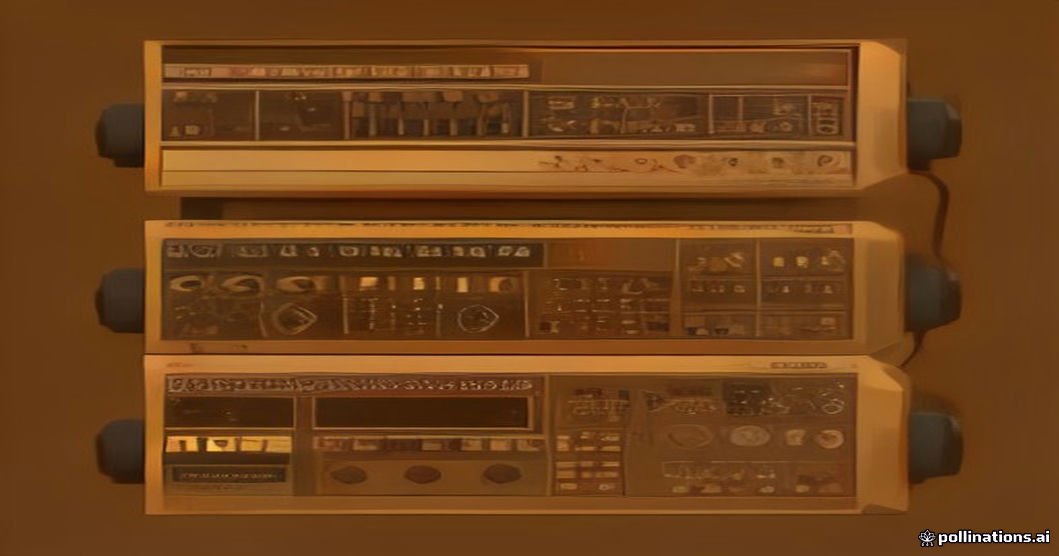
A quad equalizer is an equalizer with four independent frequency bands that you can boost or cut separately. Each band targets a different region of the audible spectrum — typically low, low-mid, high-mid, and high — and adjusting one band reshapes the tonal balance of whatever passes through it: a vocal, a guitar, a full mix, or your car stereo.
The key word is independent. On a two-knob bass/treble control, the two regions interact heavily and you can’t touch the mids at all. A quad equalizer’s four bands let you address four different tonal problems at once — for example, taming boomy bass, clearing muddy low-mids, adding presence to vocals, and softening harsh highs, all in one unit.
Quad EQs exist in many forms:
- Hardware units — vintage tube-based quad EQs (prized in recording studios), solid-state console channel EQs, rackmount graphic units, and car-audio equalizers with four fixed bands
- Software/plugins — 4-band EQ plugins in every major DAW (digital audio workstation), from free stock plugins to emulations of classic tube hardware
- Built-in EQs — many mixing consoles and live-sound mixers include a 4-band EQ section per channel as standard
Here’s the part that trips people up: there is no universal frequency assignment. One well-known live-console design spreads its four bands as Bass 20–400 Hz, Lo Mid 100 Hz–2 kHz, Hi Mid 400 Hz–8 kHz, and Treble 1–20 kHz — with the ranges deliberately overlapping so you can choose where an adjustment begins. A car-audio unit might instead fix its bands at 50 Hz, 315 Hz, 2.2 kHz, and 12 kHz with no overlap at all. Same name, very different behaviour. Always check your specific unit’s band layout before assuming anything.
Quad Equalizer vs. Other EQ Types
Where does a quad equalizer sit in the EQ family? Here’s how it compares to the common alternatives:
| EQ type | Bands | How it works | Best for | Limitation |
|---|---|---|---|---|
| 2-band (bass/treble) | 2 | Broad fixed shelves | Quick tone fixes on stereos, amps | No midrange control at all |
| Quad (4-band) | 4 | Adjustable bands across the spectrum | Versatile shaping with simple controls | Less precision than full parametric |
| Parametric EQ | 3–8+ | Gain + frequency + bandwidth (Q) per band | Surgical fixes in mixing/mastering | More complex; easy to overdo |
| Graphic EQ | 10–31 | Fixed-frequency sliders | Live sound, room tuning | Fixed bands; can’t sweep frequencies |
| High/low-pass filters | 1–2 | Cut everything above/below a point | Removing rumble or hiss | Not tone shaping — just cleanup |
The quad equalizer’s sweet spot is versatility without complexity. It gives you enough control to solve real tonal problems (far more than bass/treble) while staying simple enough to use by ear. That’s why 4-band sections became the default channel EQ on countless mixing consoles — engineers could work fast without menu-diving.
What the Four Bands Really Control
Forget the labels for a moment. What matters is what each region of the spectrum does to a sound. Here’s a practical map:
| Band | Typical region | What’s in there | Boost adds | Cut removes |
|---|---|---|---|---|
| Low (Bass) | ~20–400 Hz | Kick drums, bass guitar, synth sub-bass, rumble, mic-handling noise | Weight, power, physical thump | Boominess, mud, speaker strain |
| Low-Mid | ~100 Hz–2 kHz | Body of vocals, guitars, snare weight, piano warmth — and mud | Fullness, warmth | Boxiness, congestion, “cheap” tone |
| High-Mid | ~400 Hz–8 kHz | Vocal presence and clarity, guitar bite, snare crack, harshness | Intelligibility, attack, “cutting through” | Harshness, nasal tone, listening fatigue |
| High (Treble) | ~1–20 kHz | Cymbals, air, sibilance (“s” sounds), hiss | Sparkle, air, detail | Harshness, sibilance, noise |
Two details most beginner guides skip:
1. Bands overlap on purpose. On many quad equalizers, the band ranges overlap significantly. That means the “Low-Mid” and “High-Mid” bands can both reach into the same frequencies — which is a feature, not a flaw. It lets you choose where a correction starts rather than forcing each problem into a fixed box. Think of the four labels as control regions, not four separate slices of the spectrum.
2. Shelf vs. bell shapes change everything. A bell filter concentrates its boost or cut around one frequency and fades on either side — good for targeting a specific problem (like a nasal 800 Hz). A shelf filter raises or lowers everything above (high shelf) or below (low shelf) a turnover point — good for broad tonal moves (like opening up the whole top end). On many quad EQs, the outer two bands can switch between shelf and bell, while the middle bands are fixed bells. Knowing your unit’s filter shapes matters as much as knowing its frequencies.

Types of Quad Equalizers: Vintage Tube vs. Modern Digital
Not all quad equalizers are created equal. The two broad families sound and behave quite differently:
| Feature | Vintage tube quad EQ | Modern digital/plugin quad EQ |
|---|---|---|
| Circuitry | Vacuum tubes and passive components (resistors, capacitors, inductors) | DSP algorithms or circuit modelling |
| Sound character | Adds subtle warmth, saturation, and “glue” — the EQ itself colours the sound | Clean and transparent (unless emulating vintage gear) |
| Controls | Often fixed frequency choices per band, broad musical curves | Fully sweepable frequencies, adjustable bandwidth, visual curve display |
| Precision | Broad, forgiving, musical — hard to make it sound bad | Surgical — you can fix exact problem frequencies (and create new ones) |
| Cost/practicality | Expensive hardware ($1,000s), maintenance, studio-only | Cheap or free, recallable, usable anywhere |
| Best for | Tracking, mixing bus, mastering — anywhere you want character | Problem-solving, learning EQ, precise corrections |
Neither is “better” — they answer different questions. A vintage tube quad EQ is a flavour choice: engineers reach for it because of how it makes things sound, not just what frequencies it changes. A digital 4-band EQ is a tool choice: precise, repeatable, and free inside your DAW. Many professionals use both — digital for cleanup, tube-style for character. Beginners should start with digital: it’s forgiving of your wallet and every move is undoable.
How to Set Up a Quad Equalizer: A Step-by-Step Workflow
Don’t copy presets from the internet. Use this ear-first workflow instead — it works on any quad equalizer, hardware or software:
- Start flat. Set all four bands to neutral (zero boost/cut). This gives you a known reference point. Every adjustment you make is now deliberate.
- Listen first, touch nothing. Play the source at a comfortable level and describe the problem in plain words: boomy, thin, boxy, muddy, buried, harsh, dull, too bright. The description determines where you investigate — “muddy” points at the low-mids, “harsh” at the high-mids.
- Fix the cause, not the symptom. If a vocal sounds buried, the problem is often low-mid congestion masking it — cutting that congestion works better than boosting the highs. Boosting a symptom while the cause remains just makes the mix louder and messier.
- Cut before you boost. Cuts are safer than boosts: they remove problems without eating headroom or adding harshness. A 3 dB cut in a muddy region usually beats a 3 dB boost somewhere else.
- Make small moves. Work in 1–3 dB steps. If you need more than 6 dB of correction on any band, the real problem is probably the recording, the microphone position, or the room — not the EQ.
- Work one band at a time. Solo your attention on a single band, make the change, then listen to the whole picture before touching the next band. Four simultaneous tweaks teach you nothing.
- A/B against flat. Bypass the EQ regularly and compare. Ears adapt quickly — what sounded like an improvement two minutes ago can reveal itself as a mistake against the original. If the bypassed version sounds better, you went too far.
Practical Tips for Each Band
- Low band: If the bass is weak, check the low-mids first — masking often disguises itself as missing bass. Cut low-mid mud before you ever boost the lows.
- Low-Mid band: This is where most “bad sound” lives. A gentle 2–3 dB cut somewhere between 200–500 Hz clears boxiness from vocals, guitars, and full mixes more reliably than any other single move.
- High-Mid band: The presence zone. A small boost (1–2 dB) around 2–5 kHz brings vocals forward in a mix; a cut in the same area tames harshness and listening fatigue. Handle with care — this region is where “loud and exciting” becomes “painful.”
- High band: A broad high-shelf boost adds air and openness; cutting the highs tames sibilance and hiss. On dull recordings, try the high shelf before reaching for narrow high-mid boosts.
- Match the filter shape to the job. Broad tonal shifts → shelves (outer bands). Specific problems like a nasal note or a ringing frequency → bells (middle bands). Using the wrong shape is a common reason EQ “doesn’t work.”
Common Mistakes to Avoid
| Mistake | Why it hurts | Do this instead |
|---|---|---|
| Boosting everything | Every boost adds up — the mix gets louder, harsher, and runs out of headroom | Cut problem frequencies first; boost sparingly |
| “Smiley face” curve (big bass + treble boost, scooped mids) | Sounds exciting for 30 seconds, then hollow and fatiguing | Keep mids intact — that’s where the music lives |
| Chasing a preset | Someone else’s settings were made for their room, speakers, and source | Use the step-by-step workflow above on your material |
| Ignoring the room and speakers | You’re EQing your speakers’ flaws, not the recording | Check your mix on a second system (headphones, car) |
| EQing in solo only | A vocal that sounds perfect alone can vanish (or dominate) in the full mix | Make final EQ decisions in context, with everything playing |
| Too much high-mid boost | Adds harshness and ear fatigue fast | Small moves; A/B often |
When EQ Is the Wrong Tool
A quad equalizer is powerful, but it can’t fix everything. Save yourself the frustration:
- Bad recordings — distortion, clipping, or heavy room echo can’t be EQed away. Re-record if you can.
- Masking between instruments — sometimes the fix is arrangement or volume balance, not EQ. Two instruments fighting in the same range? Turn one down or pan them apart.
- Timing and performance issues — no EQ fixes a sloppy take.
- Feedback in live sound — cutting the feedback frequency helps, but mic placement and speaker aim matter more.
Knowing when not to reach for the EQ is what separates someone who owns a quad equalizer from someone who knows how to use one.
Frequently Asked Questions
What does a quad equalizer do?
A quad equalizer adjusts the tonal balance of audio using four independent frequency bands — typically low, low-mid, high-mid, and high. Each band can be boosted or cut to fix problems (boominess, muddiness, harshness) or shape the tone (warmth, presence, air).
Is a 4-band EQ enough for mixing?
For most everyday tasks, yes. Four bands handle the vast majority of tonal problems, which is why 4-band EQs became the standard channel strip on mixing consoles. Truly surgical work (notching a single ringing frequency) may call for a fully parametric EQ with adjustable bandwidth — but that’s the exception, not the rule.
What’s the difference between a quad equalizer and a graphic equalizer?
A quad equalizer has 4 bands, often with adjustable frequencies (and sometimes adjustable bandwidth). A graphic equalizer has many more bands (10–31) but at fixed frequencies you can only boost or cut. Quads are more flexible per band; graphics give broader coverage for room tuning.
Are vintage tube quad equalizers worth it?
For character, many engineers say yes — tube EQs add warmth and musicality that clean digital EQs don’t. For learning and precision work, no — a free digital 4-band EQ teaches you the same fundamentals and fixes problems just as well. Start digital; buy tube character later if you love the sound.
Why do some audio terms sound made up?
Audio gear naming is genuinely chaotic — vintage model names, abbreviations, and marketing terms pile up over decades. It’s the same reason a word like oncepik can look like a typo but turn out to be something specific. When a term confuses you, look up what it literally describes (here: four bands of equalization) rather than guessing from the name.
Is a quad equalizer a medical device?
No — despite the technical-sounding name, it’s purely audio equipment. Confusing technical names are common in every field, though; we’ve decoded similarly puzzling terms before, from the medical-sounding metronidasool to the retired health tool fraboc. When in doubt, check what the term literally describes.
The Bottom Line
A quad equalizer is simply an equalizer with four independent bands — low, low-mid, high-mid, and high — and that “simply” hides real power. It’s the format that became the workhorse of mixing consoles because it hits the sweet spot: enough control to fix genuine tonal problems, simple enough to drive by ear.
Remember the essentials: start flat, describe the problem before touching a knob, cut before you boost, move in small steps, and A/B against the original. Learn the difference between shelf and bell filters, respect the overlap between bands, and know when the problem isn’t EQ at all. Do that, and four knobs are all you’ll need for most of the tone-shaping you’ll ever do.
